Local AI applications
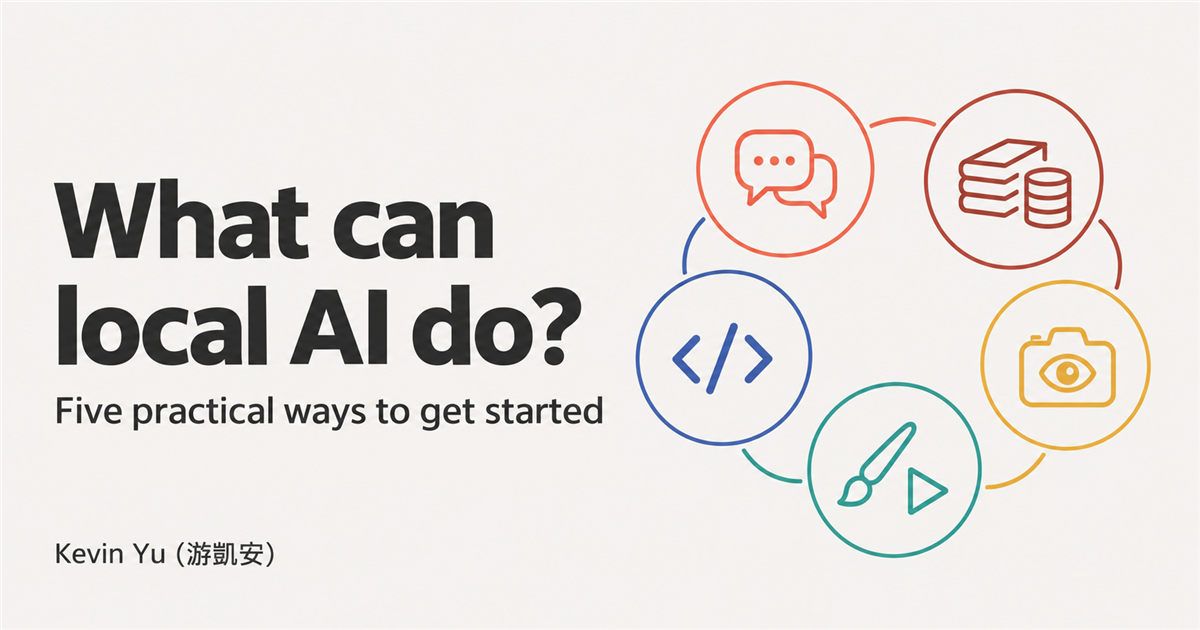
What can local AI do? Five practical ways to get started
Explore local AI assistants, private knowledge bases, coding help, creative workflows and edge vision, with practical starting points and a role for cloud models.
Article contents
The model is running. What would I use it for?
I still use cloud AI daily. I have also been moving some work onto my own equipment: connecting local models to agent tools such as Hermes, trying a personal assistant, and experimenting with images and video in ComfyUI. Once a model is installed, I want to know where it fits into the work I actually do.
Local AI means running the relevant models on my computer or equipment I manage. That could be a desktop, mini PC or another workstation. Useful tasks depend on the models, memory and connected tools, rather than a particular hardware format.
I have grouped the possibilities into five areas. Assistants and creative tools are areas I am trying; business and on-site examples illustrate how a deployment could be planned. Start with the area closest to your needs before deciding what to set up.
Five uses: choose something you want to get done
Assistants handle everyday work, knowledge bases retrieve information, coding tools fit into an editor, creative workflows produce media, and vision models process images on site. They often work together: an assistant might search your documents before drafting a reply. Select a category in the diagram to jump to it.
What do I want to manage on my own equipment?
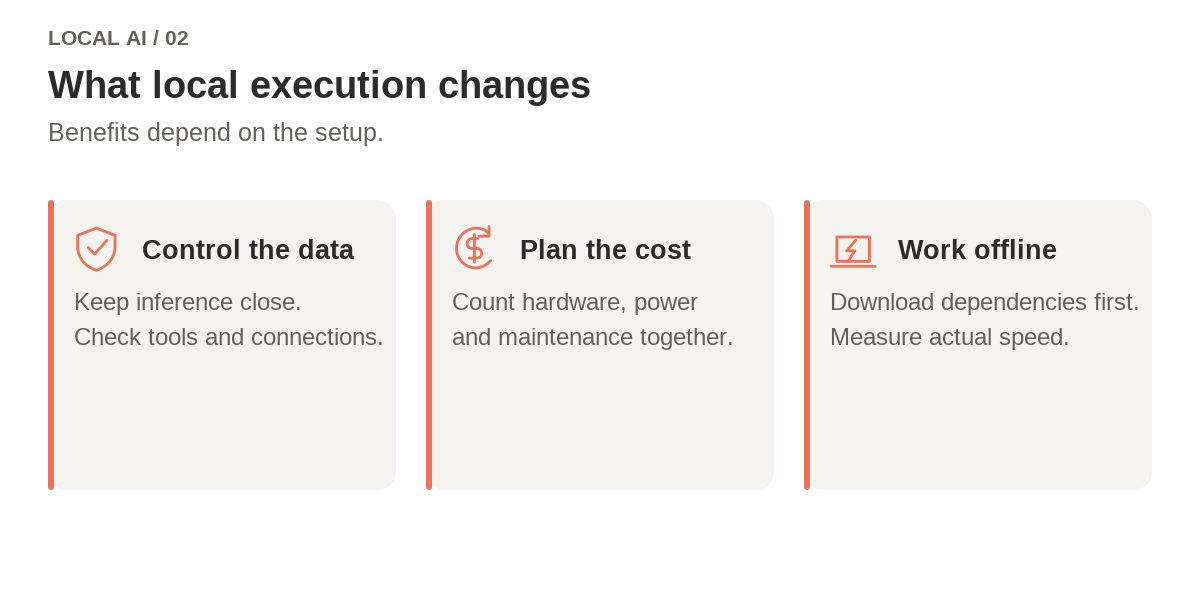
The first reason is where information is processed. With the model, embeddings and file processing configured locally, documents and conversations can remain in an environment I manage. Web search, cloud mailboxes and external speech services still need a check of what they send out.
The second is how usage is paid for. Repeated summaries or media generation can avoid a remote model’s per-call inference fee, but hardware, electricity and maintenance still count. Whether it is worthwhile depends on frequency and human handling time, not just a token price.
The third is offline and on-site use. With models and required components ready, some chat, document and media tasks can continue without a connection. Removing network round trips still leaves model-loading and inference time. I need to test the speed with the actual task.
01 | Personal and team assistants
After a meeting, for example, you might want a transcript, decisions and actions before choosing what belongs in your calendar. This feels like a useful starting task: the material is available and the result can be checked for missing details.
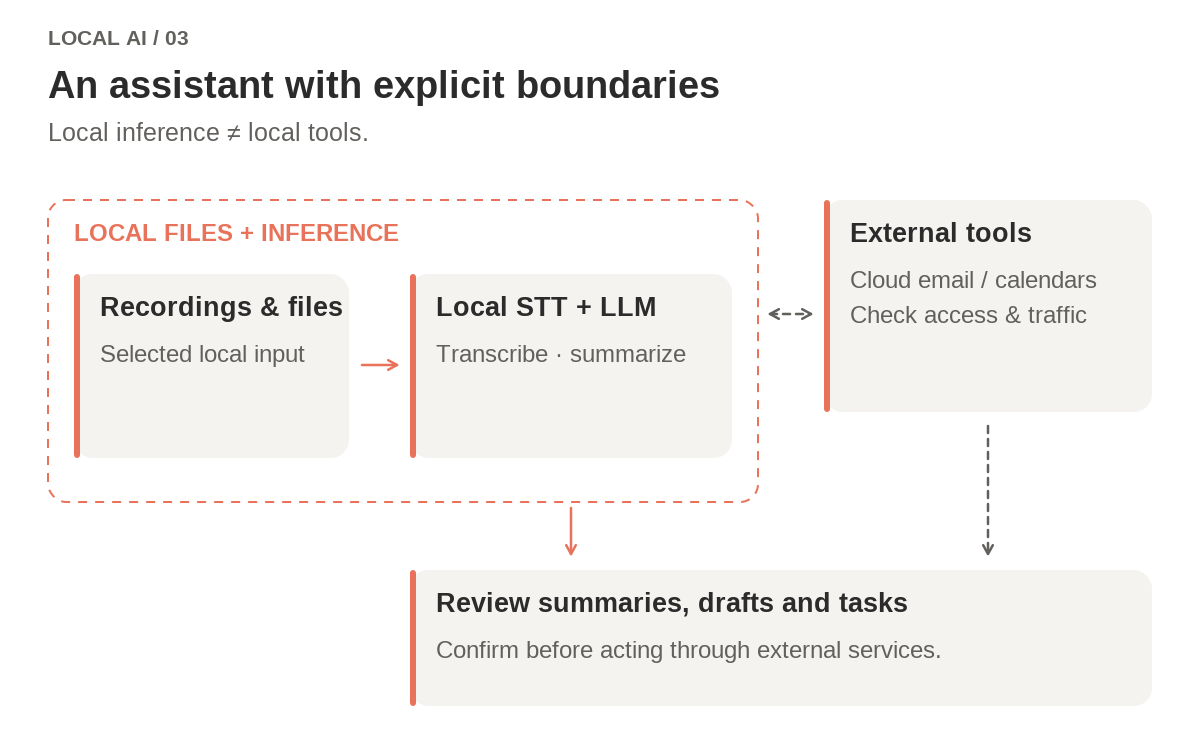
Local speech recognition can turn the recording into text for a language model to organise. An agent tool such as Hermes connects that model to files or other tools so it can read material, prepare drafts or carry out authorised work. The agent and model are separate components.
I would begin with one recording or folder and check names, dates and actions before automating more. Sending mail or changing a shared calendar deserves a confirmation step. Adding external services also means checking destinations again.
Ollama or LM Studio can load a small model that fits the available memory. Test familiar material and connect agent tools once summaries are reliable. My Jarvis prototype also starts with voice input; whether speaking saves time depends on recognition corrections and waiting.
02 | Ask your private documents
Imagine a new colleague finding a product-specification difference across several documents. A question returning the relevant passage and source could reduce the search effort. Research notes and operating manuals have similar needs.
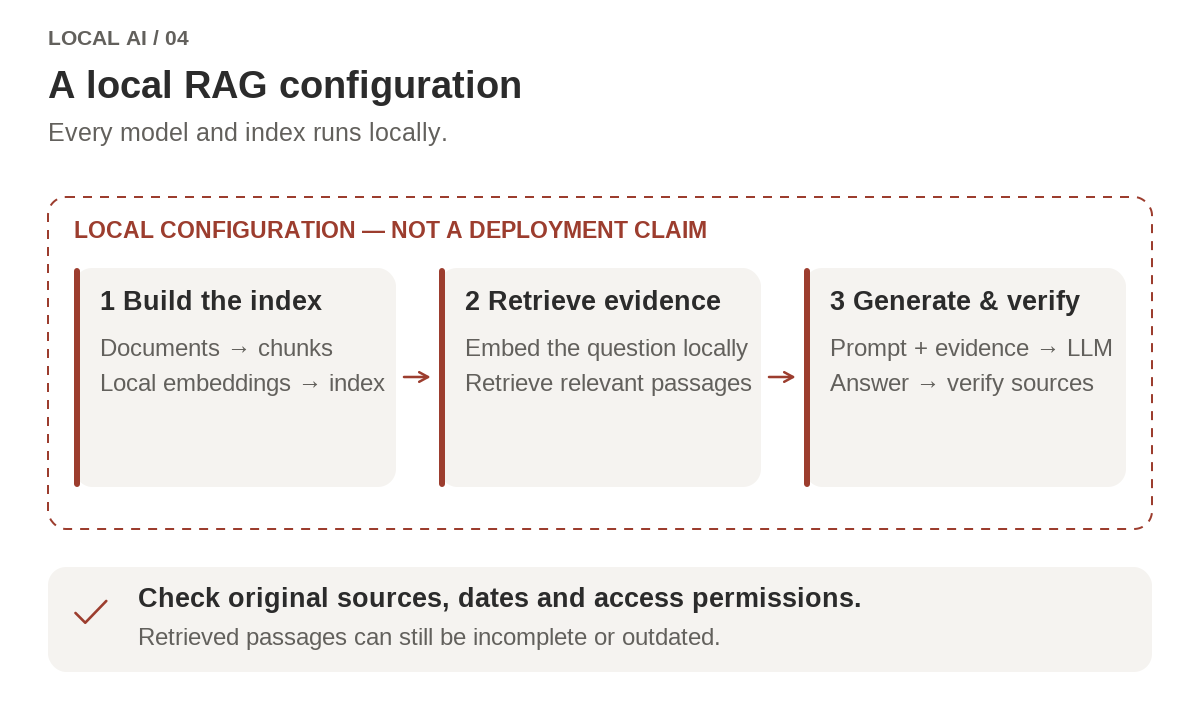
Retrieval-augmented generation, or RAG, retrieves relevant material before giving it to a model with the question. The diagram shows one common configuration: split documents, embed them, store them locally and retrieve passages when a question arrives.
Keeping processing local means checking embeddings, retrieval and generation together. Shared systems also need document permissions so answers cannot expose material a person could not otherwise read. Sources help with checking, but outdated documents or the wrong passage can still produce a bad answer.
I would start with a small, versioned document set and questions whose answers I know. Can it retrieve the right source? Can it explain when information is missing or contradictory? Check those before polishing the answer’s wording.
03 | Coding assistance
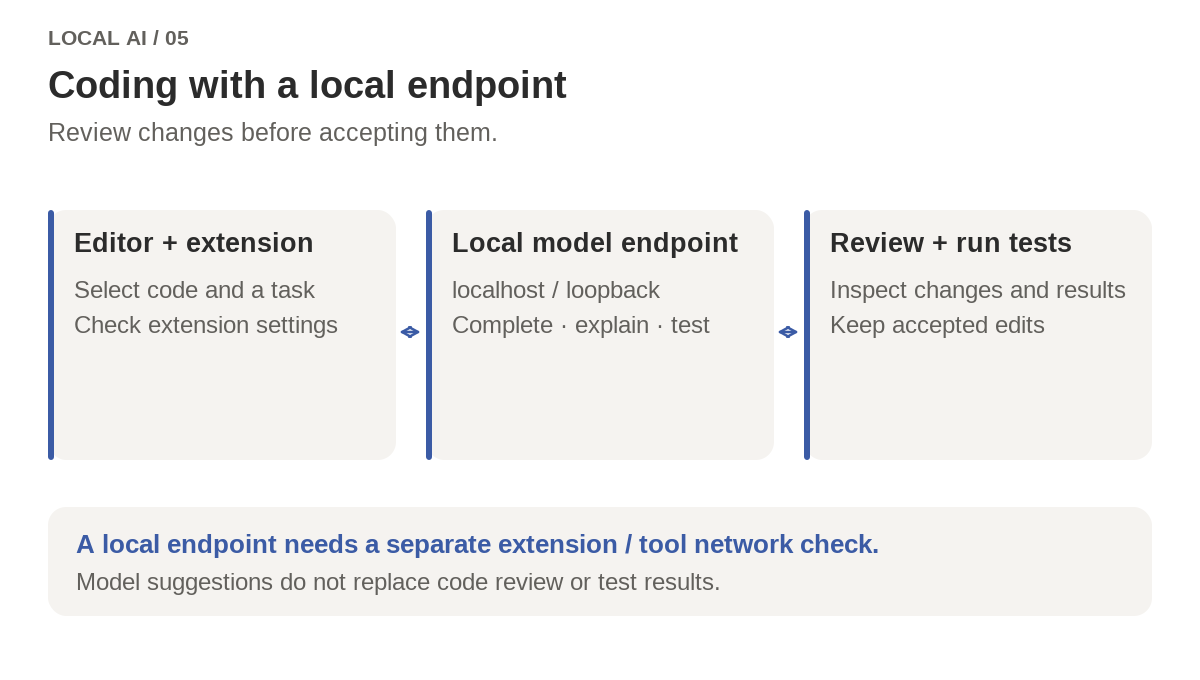
Explaining unfamiliar code or drafting tests for a function can be useful local-model tasks. Teams that cannot send source code to external services gain another way to evaluate AI assistance.
An editor can connect to a local model for completion, explanations, test drafts and refactoring suggestions. Chat is only one setting: completion, indexing, embeddings, telemetry and tool calls need checking too. One changed endpoint does not establish the entire workflow’s boundary.
I would begin with a small module, keep existing tests and version control, and ask for changes I can review in pieces. Generated code and passing tests both need attention. Cross-file requirements, long context and reliable tool use need their own representative tasks.
An extension supporting custom endpoints, such as Continue, can connect to a downloaded coding model. Try the project’s languages and conventions before leaving completion on all day. Memory, inference speed and contention with other software affect the experience.
04 | Images, video and sound
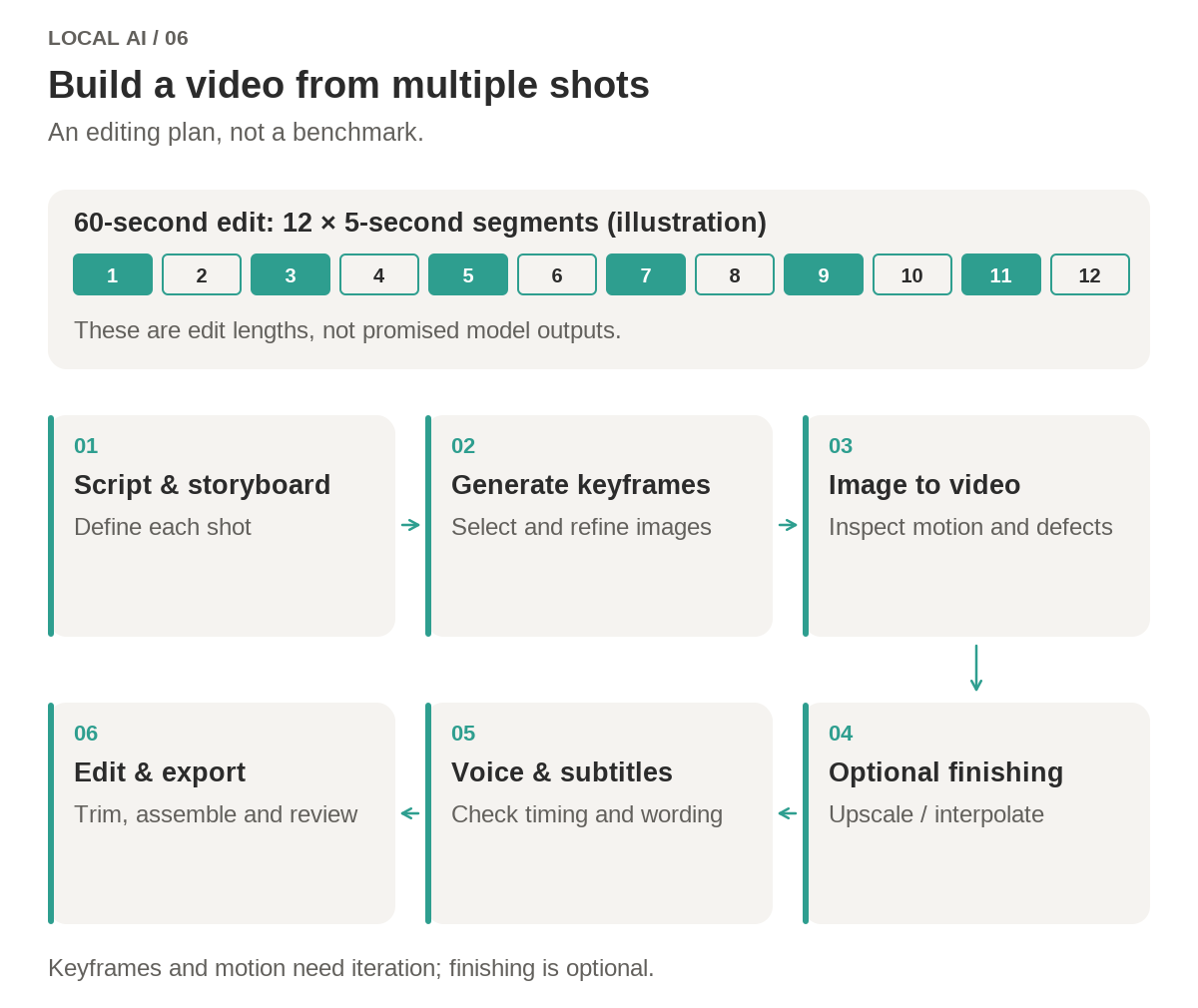
An introduction video needs a script, visuals, narration, subtitles and editing. I am trying images and video in ComfyUI and want to understand how these pieces can form a workflow that is practical to revise.
Local tools can generate and repair images, animate images, synthesise speech and transcribe recordings. With models and assets ready, repeated generation can be scheduled on your own equipment. Licences, memory, storage and waiting still matter; cloud nodes introduce external transfers.
For a one-minute goal, I would storyboard first and prepare each keyframe and shot separately. Twelve five-second blocks illustrate an editing plan. Clip length and generation time depend on the model and settings. A finished minute does not establish single-generation capability.
Image-to-video gives a composition reference, but people, product shapes and text can still change. Reference images or a suitable LoRA are options to try, followed by shot-by-shot inspection. Upscaling and interpolation are optional and cannot be assumed to repair incorrect detail.
I would finish one shot first: choose the image, generate motion, add narration and subtitles, then view it in an editor. Record which steps need repeats and the quality of the footage kept before expanding to a complete film.
05 | Edge vision on site
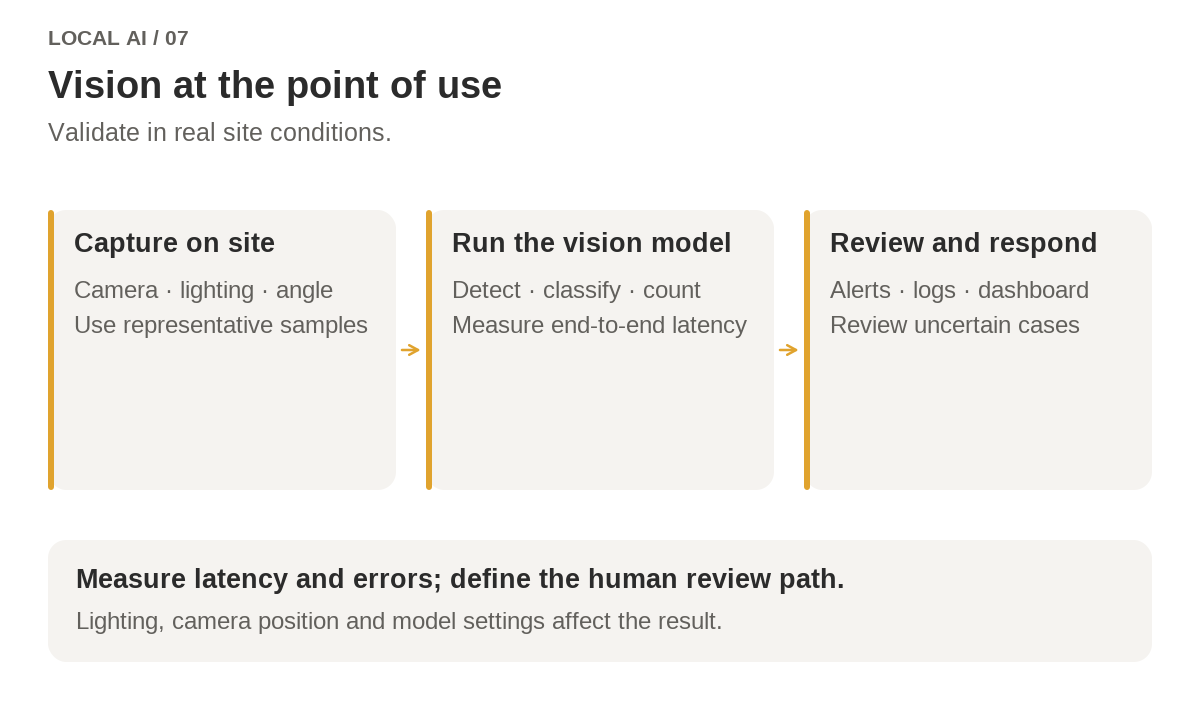
Consider inspection on a production line: a camera captures an item, an on-site device flags a suspected defect, and a person or downstream mechanism handles it. Store traffic, empty shelves and warehouse inventory offer similar planning examples. These are scenarios rather than deployments I have completed.
These systems often use vision models without a large language model. On-site processing can reduce continuous uploads and network round trips. The camera, inference, notification and sorting mechanism each take time, so measure the complete workflow.
First define the target and the consequences of a miss or false alarm. Collect images across lighting, angles and operating conditions, and test normal and abnormal samples. Images of people and workplaces also need access and retention decisions.
I would include human review, offline equipment and model updates in the requirements. Good recognition on a photo set does not establish long-term operation. Someone needs to notice changing conditions and have a way to recover.
What stays local, and what connects to the cloud?
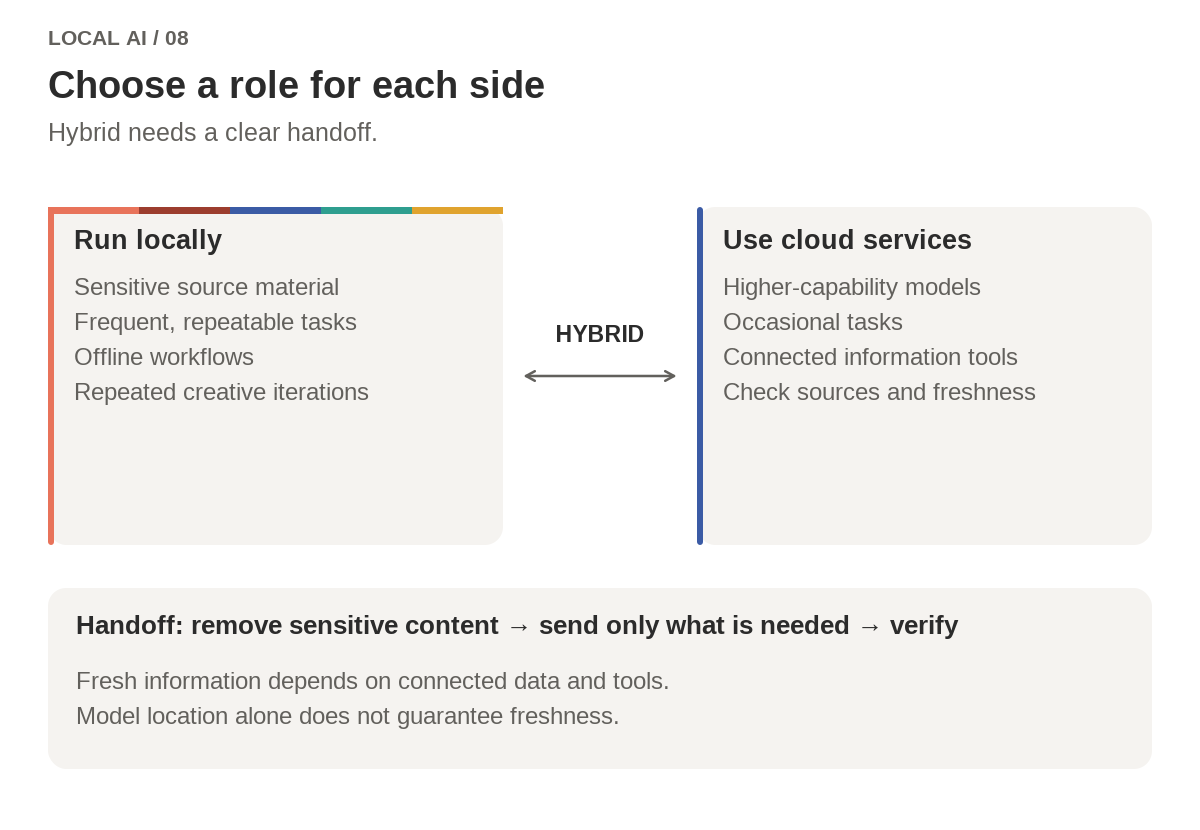
I would first try recurring tasks with clear data boundaries locally: organising my own material, drafting a fixed format or repeatedly generating assets. Check acceptable quality before comparing waiting time and total cost.
Cloud services remain convenient when my local setup cannot do the task well or the need is infrequent. Local and cloud describe deployment; capability depends on the model. Current information also needs fresh sources or search. A local model can use fresh local documents too; searching external websites still needs a connection.
A hybrid workflow might filter or remove sensitive material locally and pass reviewed inputs to a cloud service. I want to see what crosses the boundary and keep a way to revise it. Which tasks merit automatic routing is something I want to test further in the lab.
The order I would try things in
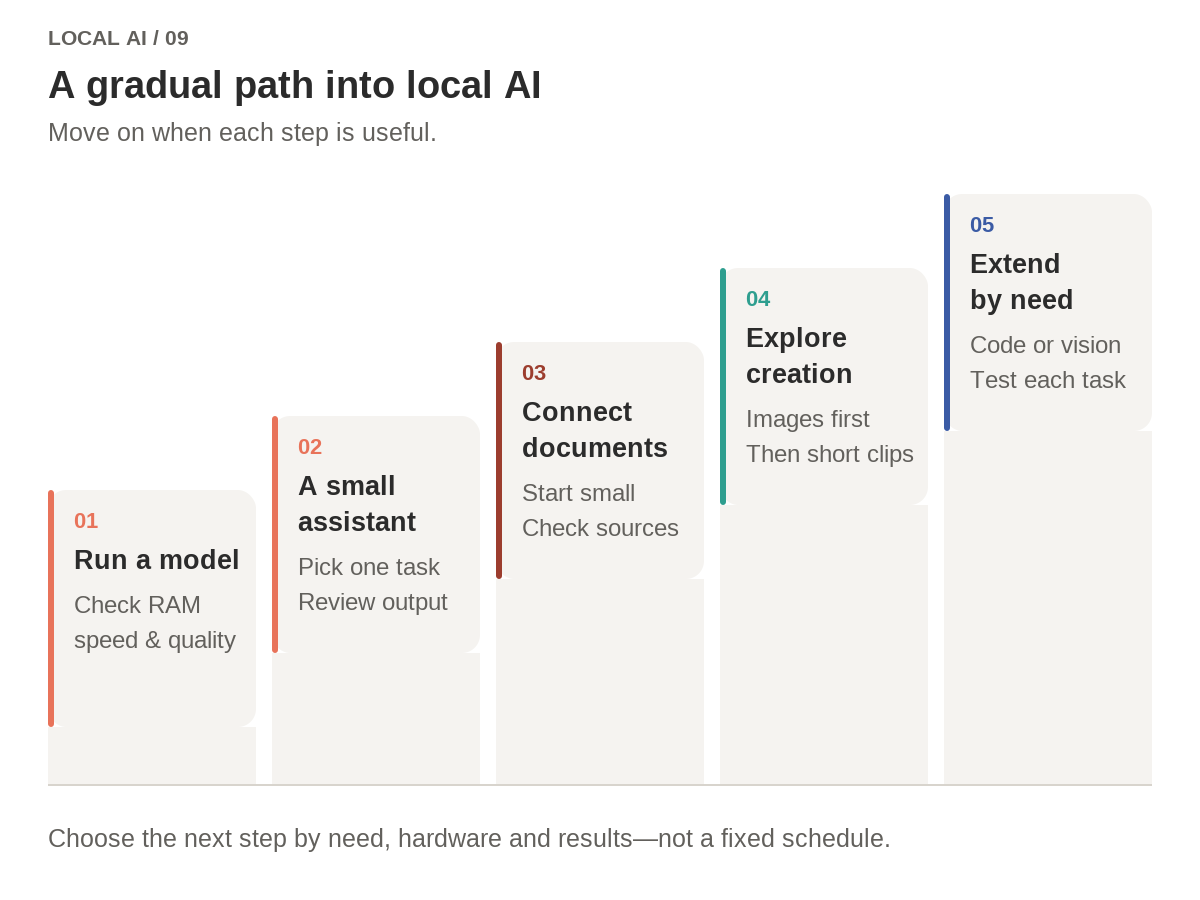
Choose a weekly task whose result is easy to check. Look at existing memory and model requirements, download a small model that fits, and try the same material. New hardware can wait until the task gives a reason for it.
Turn it into a small workflow: organise a recording or ask questions of a few notes. Add retrieval or ComfyUI when needed. Each added tool calls for another look at destinations, waiting and error handling.
Rearrange the stages around your needs. Once it becomes something you want to use daily, consider larger models, multiple devices, remote access or routing. Keep the previous method available for comparison.
Next, I want to show the actual workflows
I will keep recording assistant and creative experiments with the models, steps and problems together. For ComfyUI video, I want to work through storyboarding to editing and add examples and comparisons once ready.
If you are evaluating local AI, choose one task from your work: where the material lives, what makes a result useful and who handles a failure. Tell me on ai.work.smarter which practical example you would like to see first.